Workout Tracking Apps: What to Look For
TL;DR. Workout tracking apps mostly do the same basic job: they let you record sets, reps and weight. What separates the ones worth keeping from the ones you delete after a week is logging speed, whether it suggests your next step, whether it reads the watch or ring you already own, whether sleep and nutrition live in the same place as training, and what it actually costs once the free tier runs out.
Why most workout tracking apps get deleted.
The failure mode is almost always the same. Logging takes too long, so it gets skipped on a busy day. Once a session or two goes unlogged, the log stops feeling worth keeping, and the app gets abandoned a few weeks later. The apps that survive are the ones that make logging fast enough to survive a bad week, and useful enough that you want to look back at it.
Five things worth checking before you pick one.
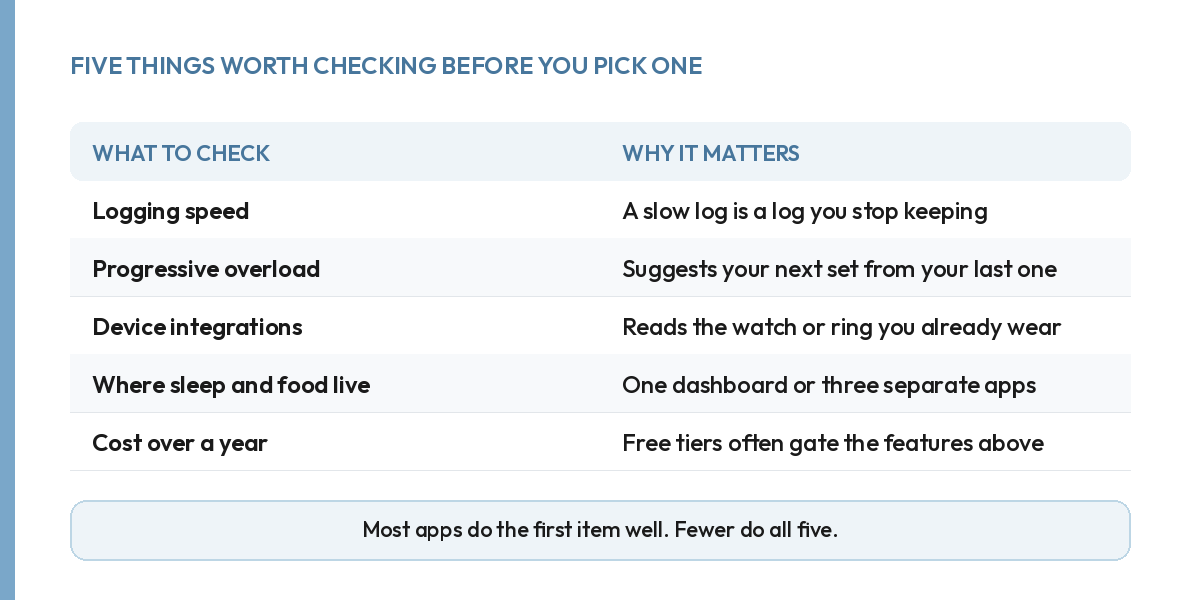
Logging speed. If entering a single set takes more than a few taps, you will stop doing it the first time you are tired or short on time. Try logging a real set before you commit to anything.
Progressive overload. A log that only records what you did is a diary. A log that reads your last session and suggests your next one, a small increase in weight, a rep, or a set, is a tool. That difference matters more than almost anything else on this list. If you are not sure what "adding load" should look like week to week, here is a worked example.
Device integrations. If you already wear a watch or a ring, an app that reads it removes a layer of manual entry. Apple Health, Google Fit, Garmin, Fitbit, Oura and Whoop cover most devices people already own.
Where sleep and nutrition live. Training, sleep and nutrition affect each other constantly. An app that only tracks training, while your sleep lives in one app and your food in another, makes it easy to miss the connections between all three.
Cost over a year, not the first month. Many workout tracking apps offer a generous free tier, then gate progressive overload, trend history or integrations behind a subscription. Check what the paid tier actually costs before you get attached to the free version.
How to actually choose one, in order.
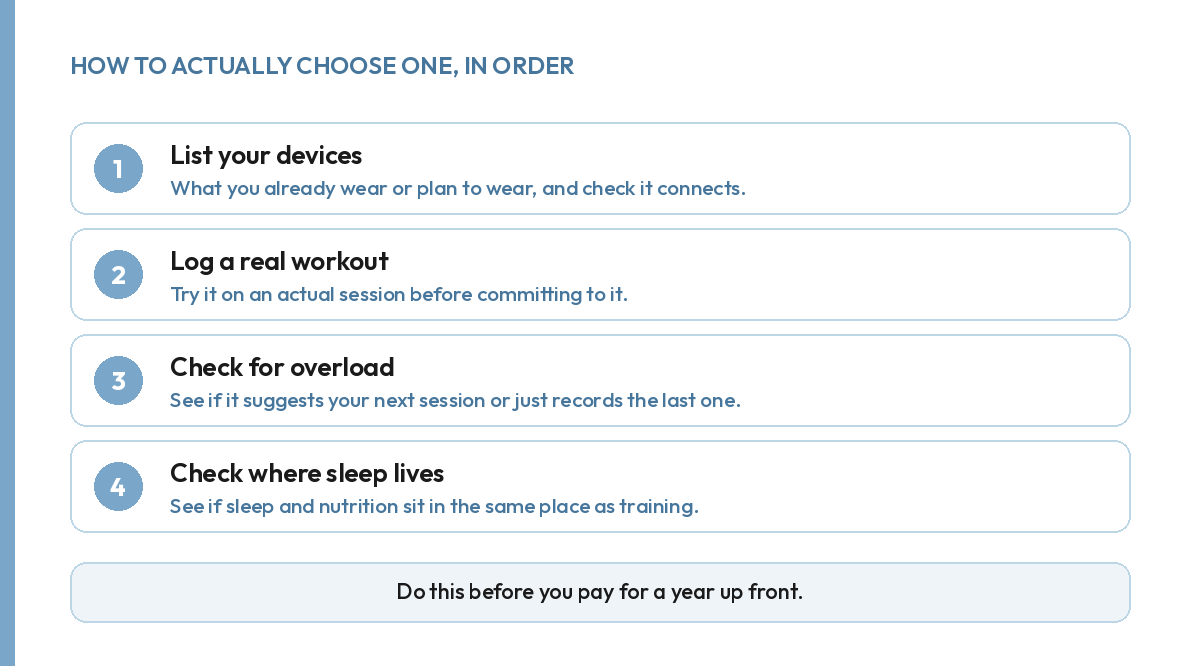
Start by listing the devices you already wear or plan to wear, and confirm the app actually connects to them rather than assuming it does from the marketing page. Then log one real workout in it, not a demo session, and pay attention to how much friction there was. Check whether it gave you any suggestion for your next session, or simply stored what you entered. Last, look at whether sleep and nutrition sit in the same dashboard, or whether you would need a second and third app to see the whole picture.
What most reviews of workout tracking apps get wrong.
Most comparisons of workout tracking apps rank them on feature count: how many exercises are in the library, how many templates are built in, how polished the interface looks. Feature count is the easiest thing to compare and one of the least useful, because a huge exercise library does nothing for you if logging is slow enough that you stop opening the app after two weeks.
Do workout tracking apps need to connect to my watch?
Not strictly, but it removes a real source of friction. Typing in a heart rate or a step count by hand is the kind of small task that gets skipped on a busy day, and skipped entries are how a log quietly stops being accurate. An app that already reads Apple Health, Google Fit, Garmin, Fitbit, Oura or Whoop keeps that part of the picture filled in without you doing anything extra, which matters more the longer you actually use the app.
If you are choosing between two apps that are otherwise similar, the one that already talks to the device on your wrist is usually the better starting point, simply because it removes one more reason to stop logging.
What we built instead.
Your training inside The Health Project logs workouts down to the set: exercise, weight, reps and rest days, and it reads your last session to suggest your next step. It connects with your Apple Health, Google Fit, Strava, Garmin, Fitbit and Whoop, and it sits next to your nutrition and your sleep rather than apart from them, so a change in one shows up next to the others instead of getting lost across three different apps. If tracking your training is the whole reason you are reading this, the same logic applies to picking a sleep tracker: the device matters less than where the number ends up living.
None of this requires switching devices. Whatever you already wear connects the same way, and the sensing it does does not change. What changes is whether the log you keep turns into a suggestion for tomorrow, and whether it sits next to the sleep and food data that explain half of why a session felt hard or easy in the first place.
FAQ.
What should I look for in a workout tracking app?
Fast logging, progressive overload suggestions, device integrations, whether sleep and nutrition sit in the same place, and the real cost once you look past the free tier.
Do workout tracking apps need to connect to my watch?
Not always, but it removes friction. An app that reads your existing watch or ring means less manual entry and fewer gaps in your log.
Is a free workout tracking app good enough?
For basic logging, often yes. Most free tiers gate the features that make an app useful long term: progressive overload, trends, and connecting training to sleep and nutrition.
Why do most workout tracking apps get abandoned?
Usually because logging takes too long, or because the app never turns the log into a suggestion for what to do next. A log nobody reads back stops getting kept.