Coaching Software App: What to Look For

TL;DR. A coaching software app is judged by what the client experiences, not by the feature list you read on a sales page. Logging has to be fast, reminders have to actually reach them, and the app should hold more than training if you want to see why a client stalls. Test each of these yourself before you commit to a platform.
Most reviews of coaching software look at the wrong screen.
Most comparisons describe the coach's dashboard: templates, client lists, business reporting. All useful, and none of it is what decides whether a client keeps opening the app. That decision happens on the client's screen, during their session, usually tired and usually in a hurry. A coaching software app that is excellent for you and slow for them will lose you clients no dashboard feature can win back.
Logging has to be fast, not just possible.
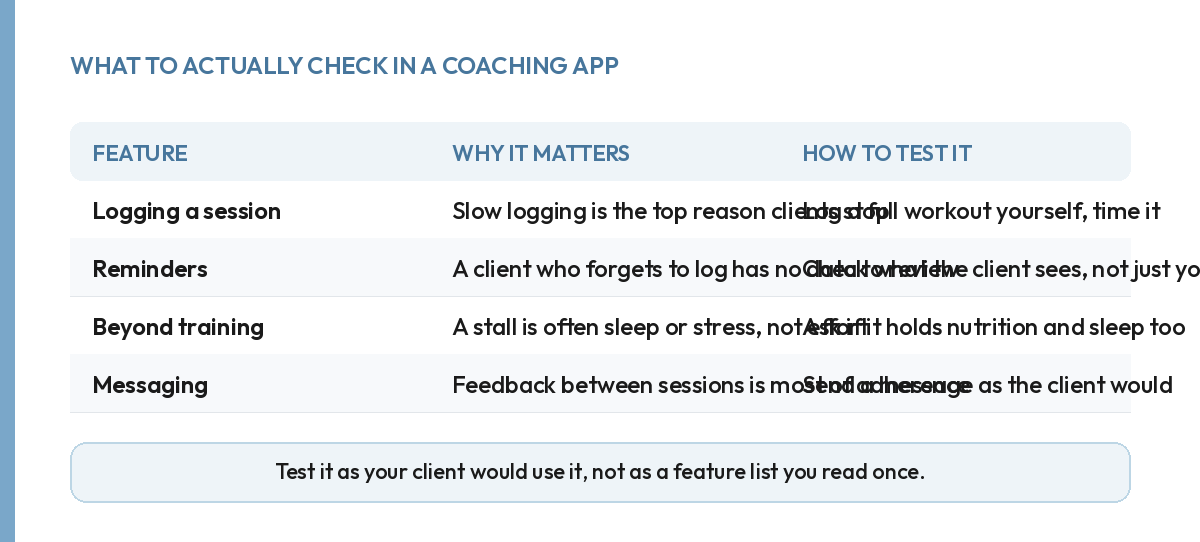
Every coaching app can technically log a set. The question is how many taps it takes and how much it asks the client to remember. A client mid-workout will not scroll through three menus to find yesterday's weight. If logging feels like admin, adherence drops within the first two weeks, well before you would notice it in their results.
Reminders have to reach the client, not just exist.
A reminder that lives inside a settings menu nobody opens is not a reminder. Check what the client actually sees: a push notification, a badge, something that reaches them without them going looking for it. This one is easy to miss during a demo. You are looking at the coach view, where the reminder settings exist whether or not they ever fire for a real client.
The app should hold more than the training.
A stalled client with a clean training log and no context looks like a client who stopped trying. The same client's sleep and stress numbers might say otherwise. The gap most platforms leave is exactly here: training logged well, everything else scattered across whatever apps the client already uses, or not tracked anywhere at all. Our own app holds training, nutrition and sleep together for this reason, so a stall reads as a full picture rather than one missing session.
Messaging is where adherence is actually won.
A programme sits still between sessions. A quick reply to a client's message about a sore knee or a missed day is what keeps them showing up for the next one. Check whether messaging lives inside the same app as the programme, or in a separate thread you have to remember to check. Split across tools, messages get missed, and a missed message reads to the client as being ignored.
Check what happens to a client's history if you ever switch.
Coaches change software more often than they expect to when they first sign up. Usually it is because the client-side gaps above only show up after a few months of real use. Before you commit, ask what a client keeps if you move platforms later: their training history, their check-in answers, and their sleep and nutrition data if the app held any of it. A platform that locks that history in makes switching expensive later, which is exactly the wrong time to discover it, mid-roster, with clients mid-programme.
This is not a reason to avoid committing to a platform. Every platform wants you to stay, and that is fine. It is a reason to ask the question once, up front. Finding out the hard way that a year of a client's sleep trend or check-in history cannot be exported anywhere useful is the expensive version of the same question.
Price it by what it actually saves you.
Coaching software is usually priced per active client, so the sum changes as your roster grows or shrinks. Run the maths at the roster size you expect in a year, not the one you have signing up this month. Weigh it against the admin hours it removes, not just against a competitor's sticker price. An app that costs slightly more but cuts your weekly admin in half is the cheaper option once your time is actually counted.
A client platform is only one of six tools a coaching business ends up paying for. See where it ranks against payments, booking and the rest.
Test it the way a client actually will.
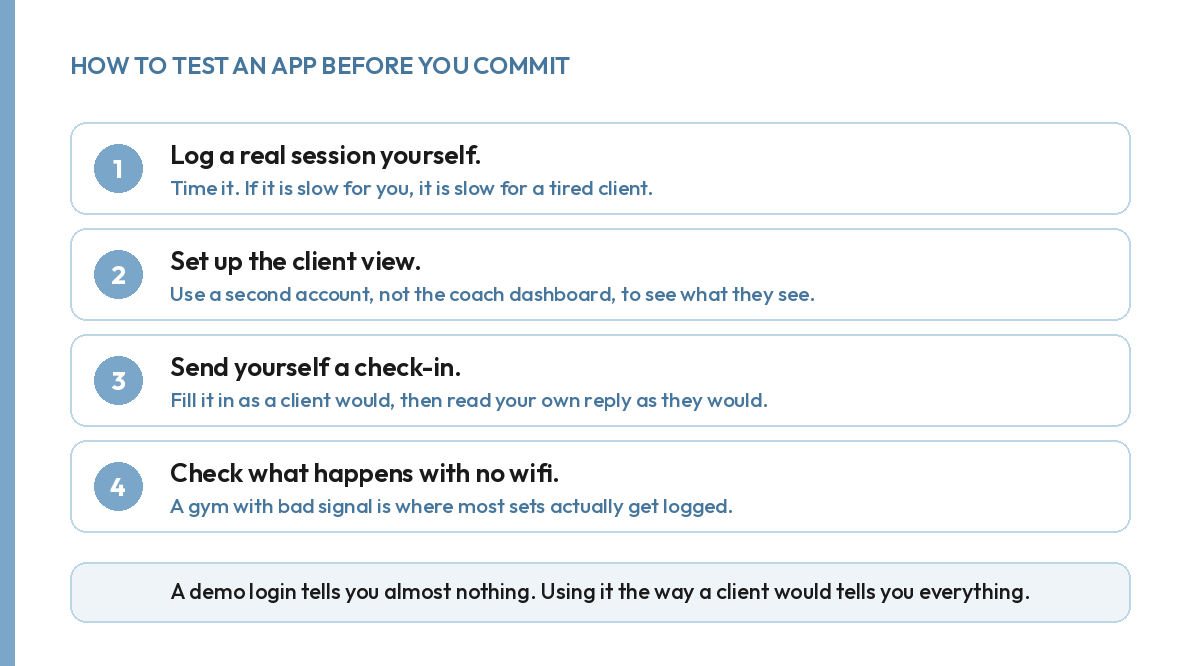
A demo login only ever shows you the coach side. Log a full session yourself and time it. Set up a second account and look at the client view, not the dashboard. Fill in a check-in the way a tired client would, then read your own reply back as they would read it. Your first onboarding check-in is where you set a client's goal. Make sure the app can hold that goal somewhere the client sees it again, not just in a note you wrote once and never revisit.
So is a coaching software app actually worth it for a small roster?
Yes, even at three or four clients, because the alternative is not "no software", it is spreadsheets and separate chat threads doing the same job worse. The return is not about scale at a small roster. It is about whether your clients keep showing up. That is decided by the features above, not by how many clients you happen to have this month.
FAQ.
What is the most important feature in a coaching software app?
Fast, simple logging for the client. Every other feature is wasted if the client stops opening the app because logging a session takes too long.
Should the app show more than training?
Where possible, yes. Sleep and stress explain most stalls that a training log alone cannot, so an app that holds only sets and reps shows you half the picture.
Can I test a coaching software app properly before paying for it?
Yes. Log a real session yourself, view it as a client would, and send yourself a check-in. A demo login alone will not show you this.
Does the client need to download anything special?
Depends on the platform. Many coaching apps, including ours, run in the browser and install with no app store step.